Bloom Social
TEXT
TEXT
TEXT
TEXT
(FILLER)
Roles:
UX Designer
Tools:
Figma
User Testing
Date:
May 2025 – Aug 2025
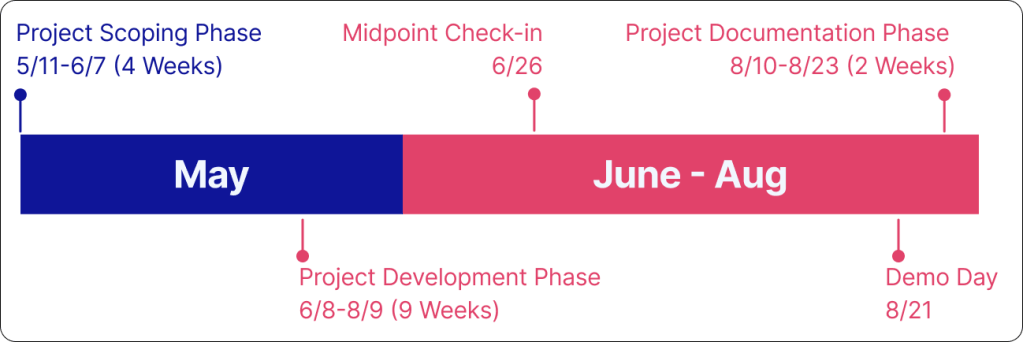
Timeline:
16 weeks
To brief you
Project scope
Team Project (1 PM, 1 Design Manager, 5 Designers)
Paired through Develop for Good (non-profit that supports college students breaking into tech)
Designer in charge of building the experience
ABOUT NENOS.INC
Mission: Amplify local voices & foster meaningful connections with Bloom Social, a non-algorithmic social media app
“Social Media that gets you off of social media” Designed with the intentions for users to get involved with local events and uplift neighbors.
Casual social media users now have a space that encourages them to be ‘Creators’ and be the ones forming the community
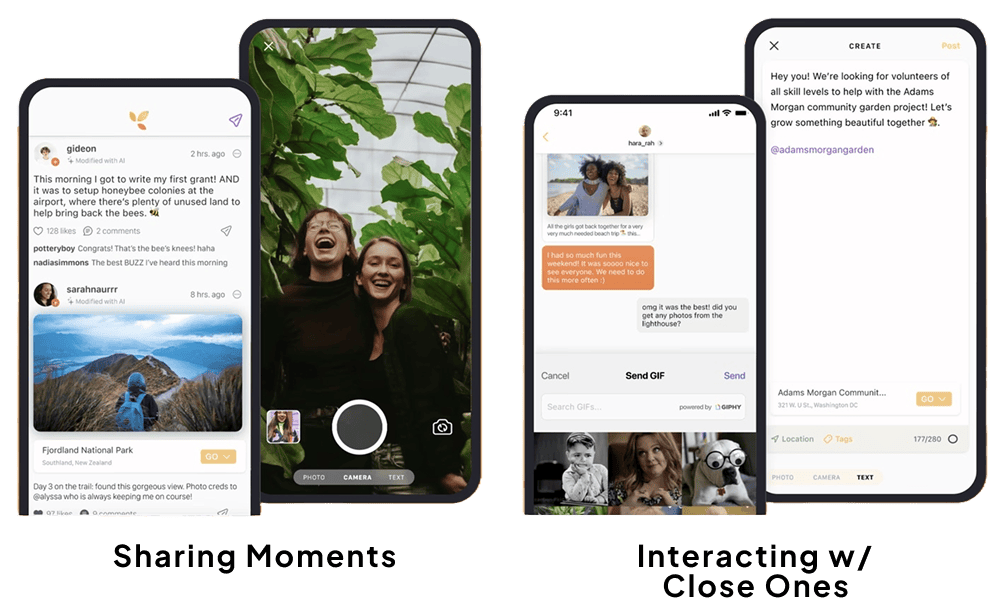
But what’s missing?
Problem
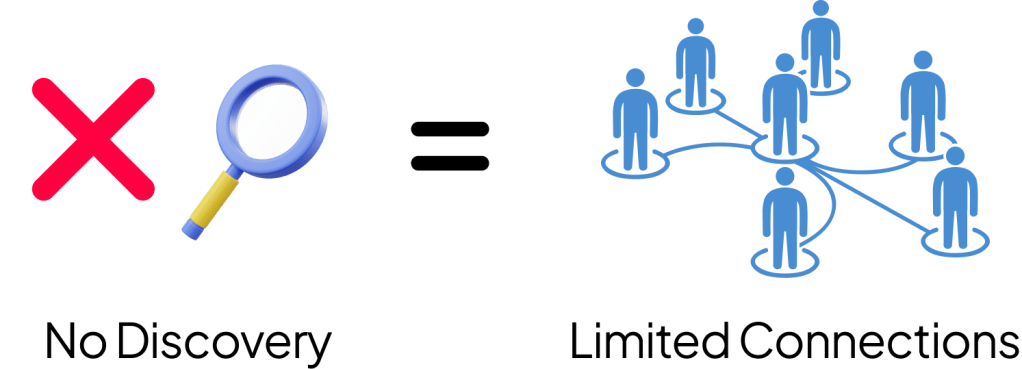
Currently, there’s a missing portion to the app’s functionality. Users are only able to follow and find people from their contacts. Limited functionality = limited connections.
Our objective
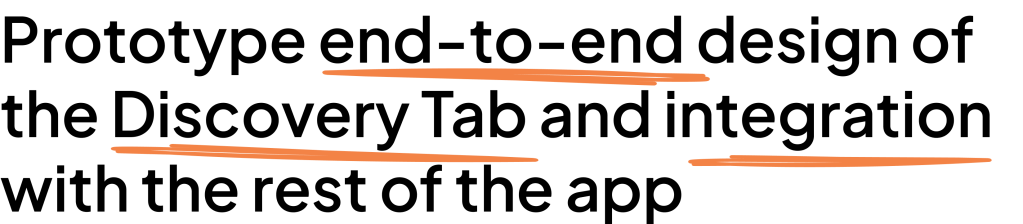
Nenos Inc. approached Develop for Good to form a team of volunteers that could help them will the following objective:
Our PROBLEM STATEMENT
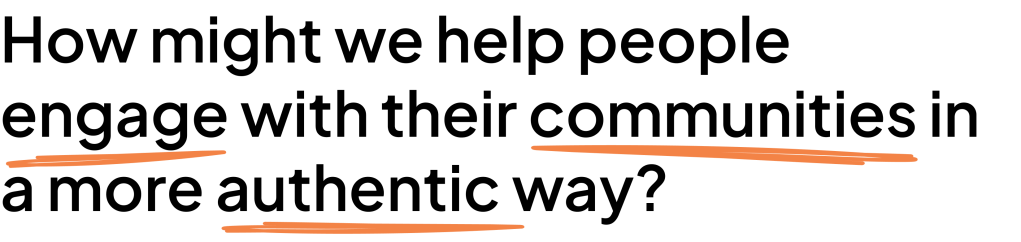
We approached our objective with the following statement to help us understand how
Research
Before jumping into anything design related, we wanted to get a holistic understanding of how people engage with social media and their respective communities
01
Secondary Research
Competitive Analysis
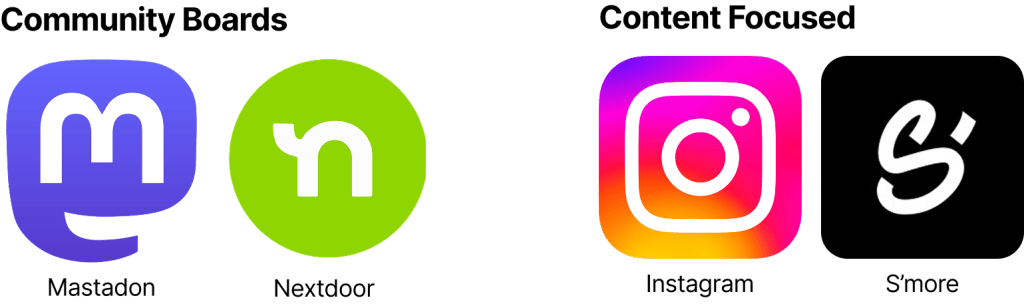
Conducted a SWOT analysis on 4 competitor apps that had similar functionalities, structure, and intentions as Bloom Social
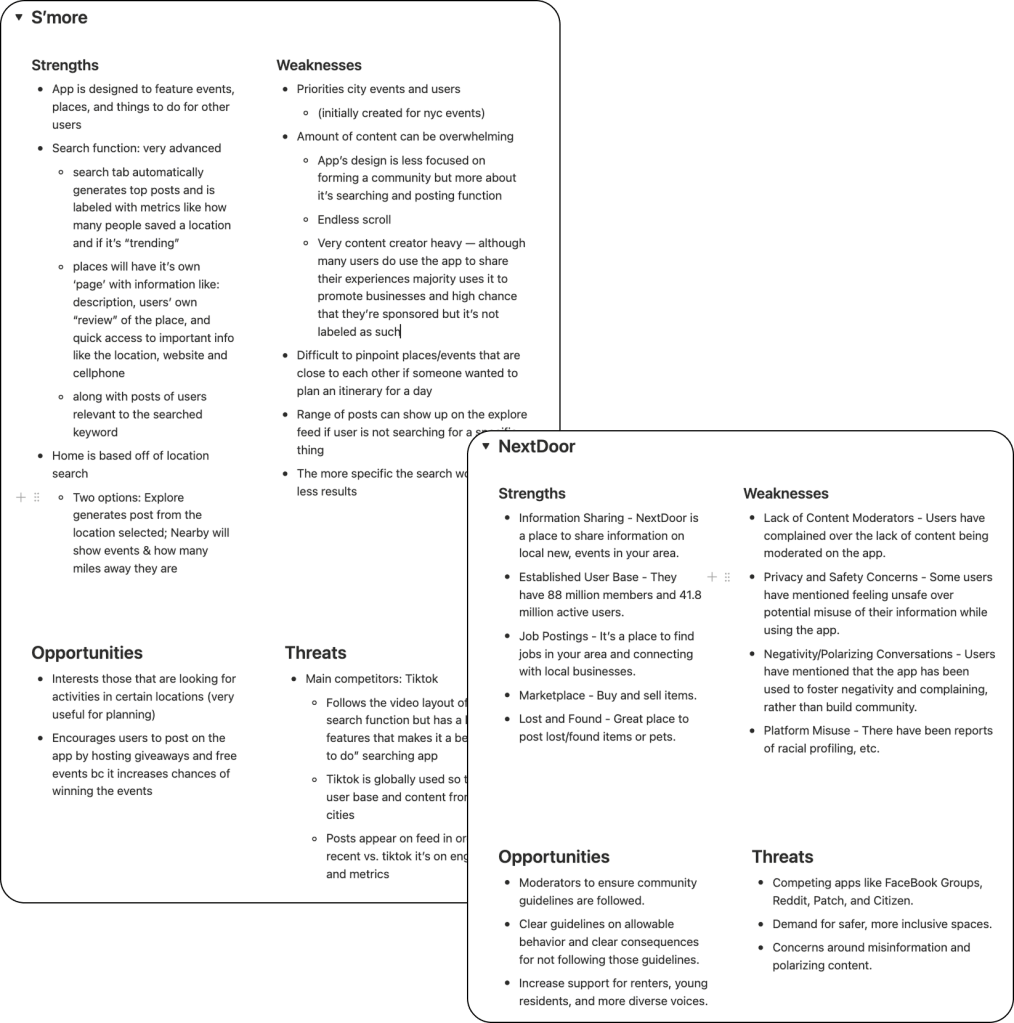
competitor analysis results
There’s no solution that has both
Primary research
Surveys & Interviews
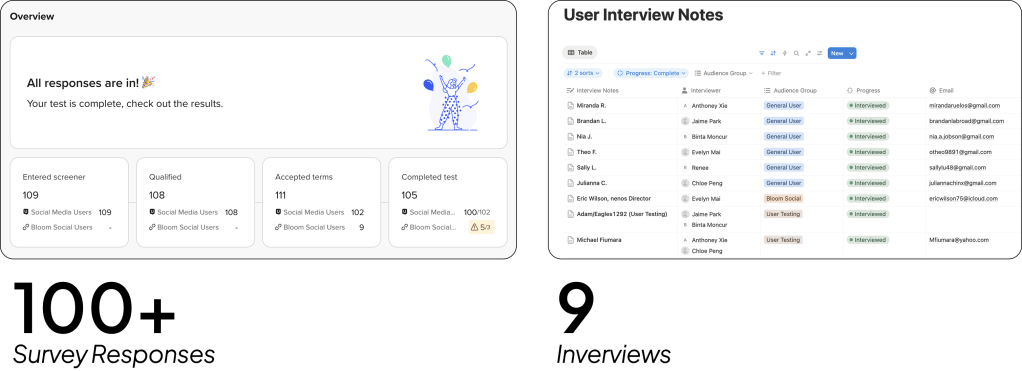
survey results
How do people discover other communities?

What’s crucial to their decision making
- Location
- Cost
- Ratings/reviews
- Event Type
- Who’s Going?
interview results
It already happened?
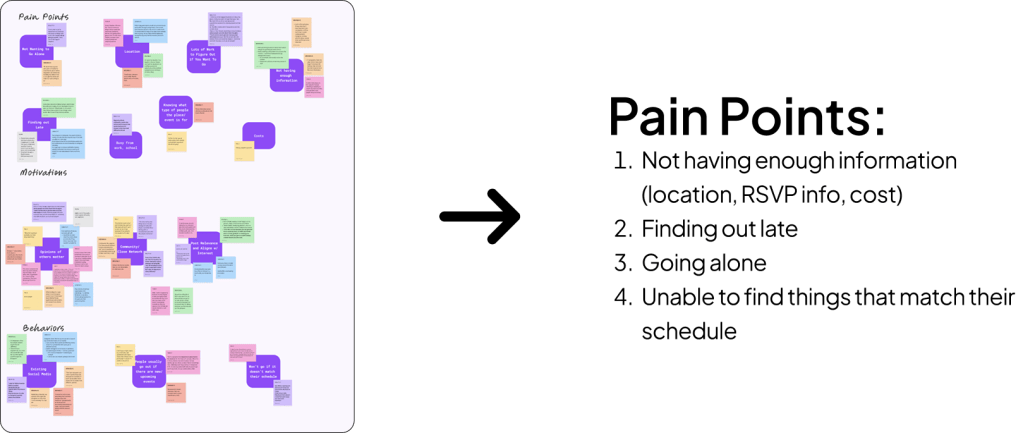
After the interviews, we conducted a card sorting exercise to assess our users’ main pain points, motivations, and behaviors. Concluding that the main pain points consist of:
Brainstorming
What’s happening near me?
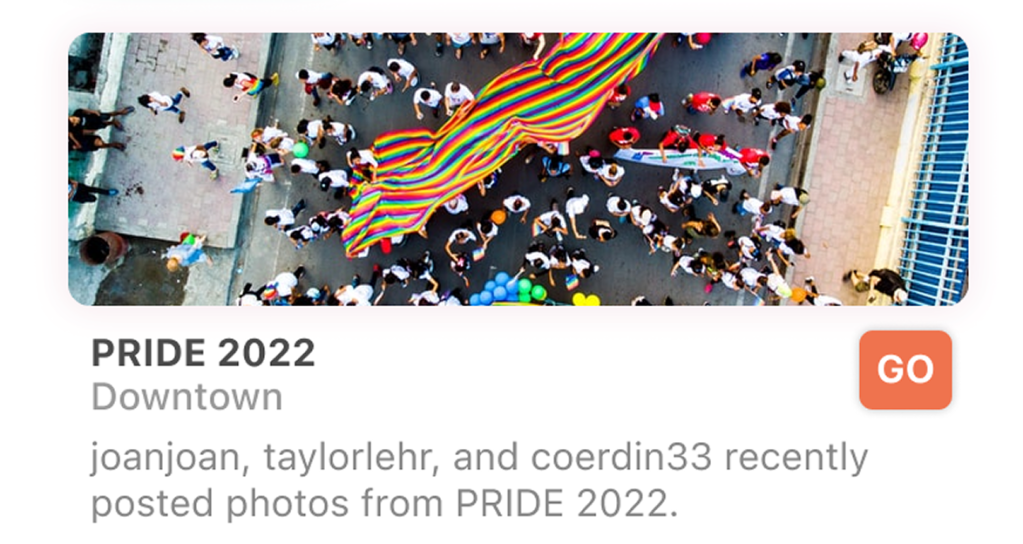
During our initial audit of the app, we noticed a location tagging feature that was already implemented. The purpose was for users to see posts that are local to them depending on their location. This was their own initial intentions for the structure of the Discovery tab.
But we asked “How would users differentiate between posts that are open for invites vs. posts that are meant to update their followers?”
(pivot)
Think in the mindset of a host
How could I get more people to know what I’m hosting and how could other people discover more about what’s happening around them?
Our Solution
(heading) Event Posts
Local businesses/communities come together when an event happens
So,
Center the discovery tab over posts that want to be discovered. Also giving those hosting events its own section of focus
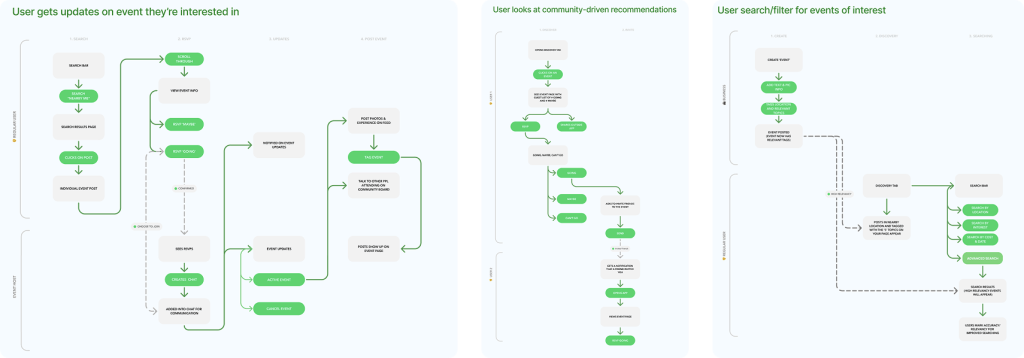
ix Flows
Coming together
My team members divided responsibilities into three groups:
- Feature ideation based on the interview and survey results and organize them into a priority x fesability matrix
- Creating user personas and journey maps to understand who we are designing for
- Coming up with a user flow & determine information architecture of the app
I was in charge of the user flow (idk some other way to say this)
(basically users use discovery tab to see event posts, provide in depth filtering). As a host you can set up an event as if it is a post, provide additional information and it will show up in the discovery table.
Design
Before jumping into anything design related, we wanted to get a holistic understanding of how people engage with social media and their respective communities
02
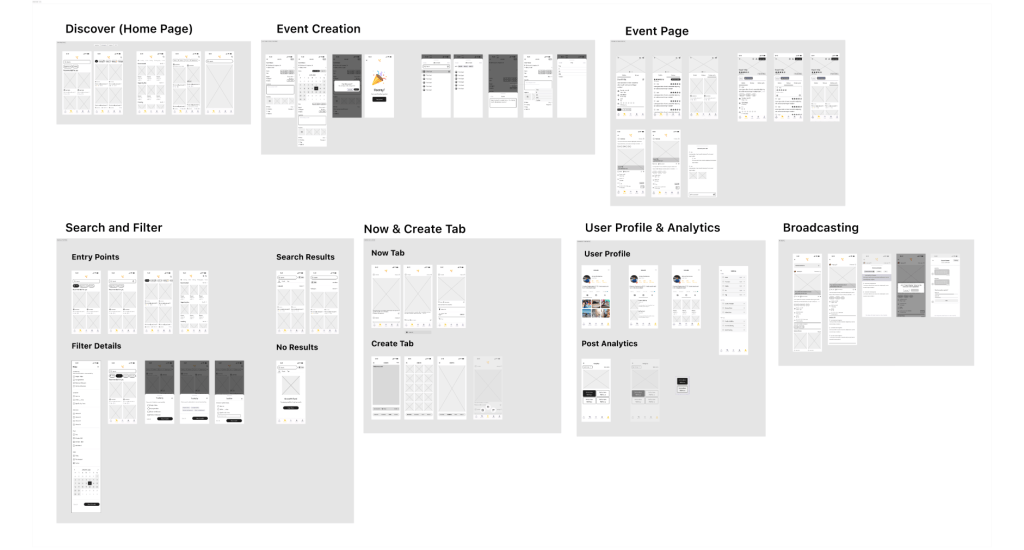
Challenge
Client Check-in
Removal of Ratings & Reviews
Idea was turned away by the stakeholders as it wouldn’t be beneficial for the content creator or well-received by users
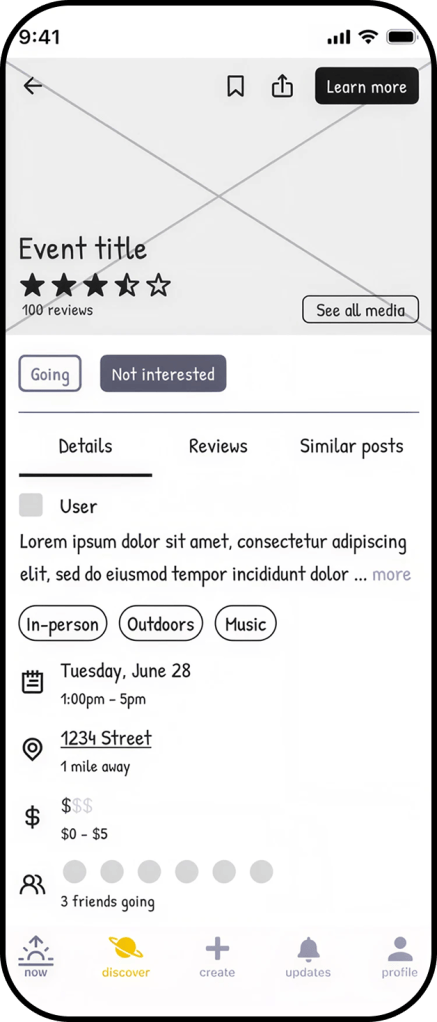
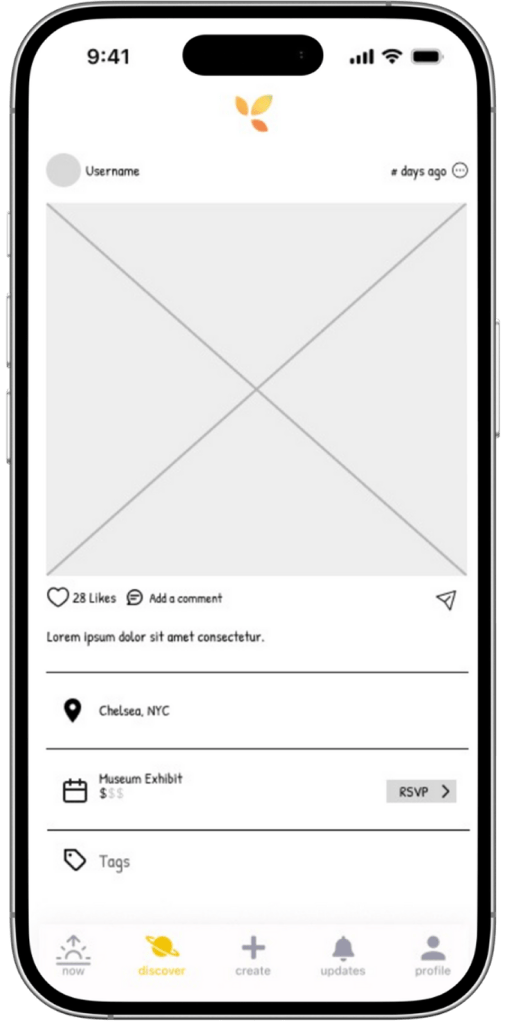
Event Page Layout
Layout felt inconsistent with the current design of posts. Wanted it to follow a similar design system
Low-Fi to Mid-Fi
User Testing
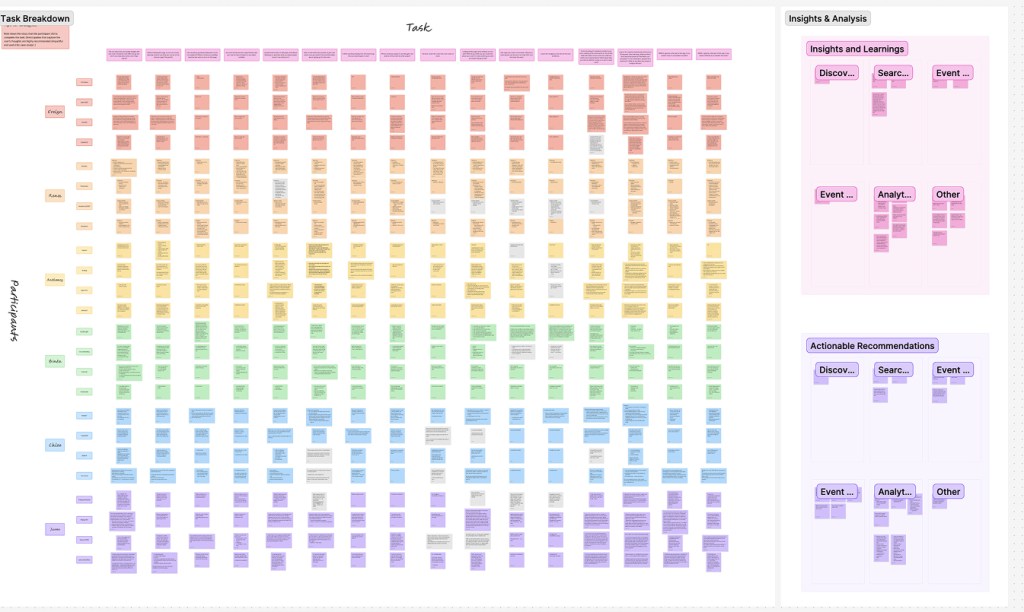
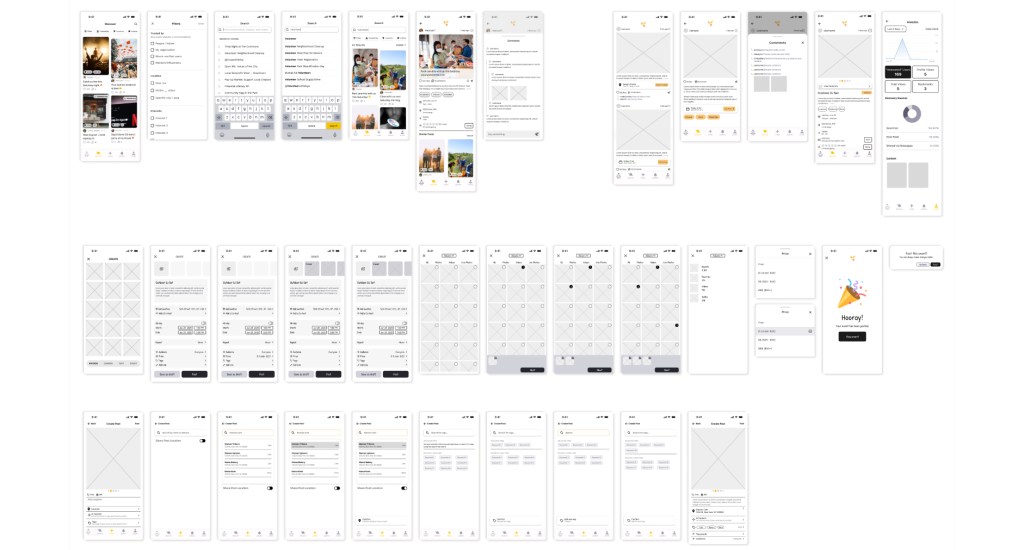
something abt using the platform, testing on a total of 24, each member reviewed the videos and recorded any thoughts or behaviors. grayed the ones that appeared to run into a pain point. We analyzed the users responses to screen that we are in charge of, and then used that as a point of focus for our next round of iterations
Design rationales
Create Post
33% of testers were not confident on the create screen
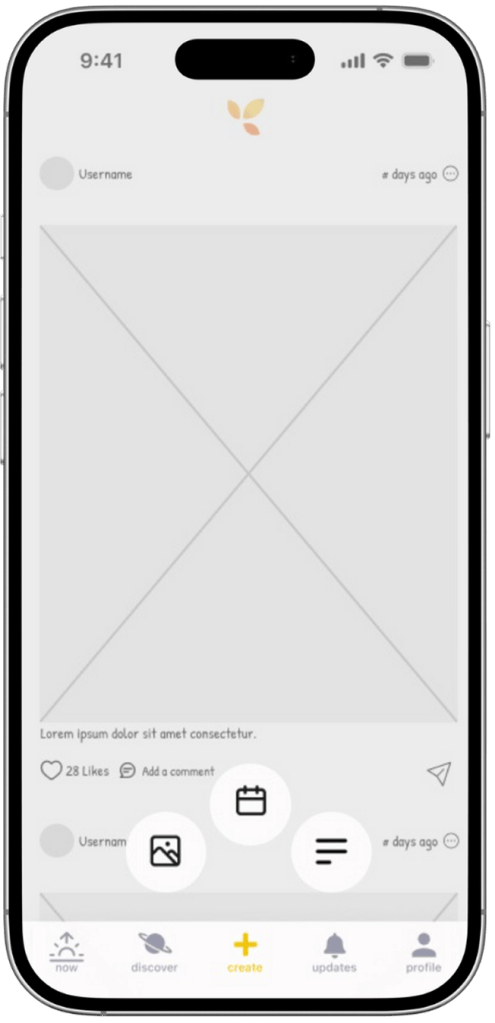
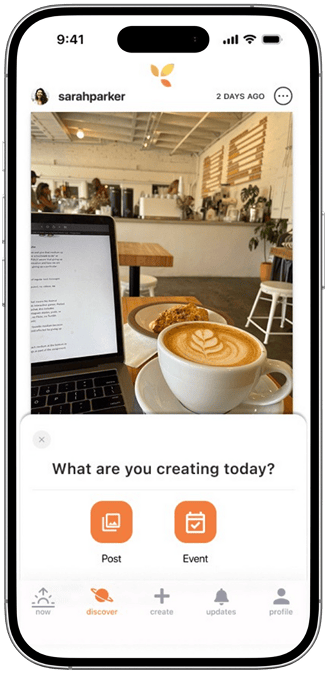
“The two layouts are confusing me”
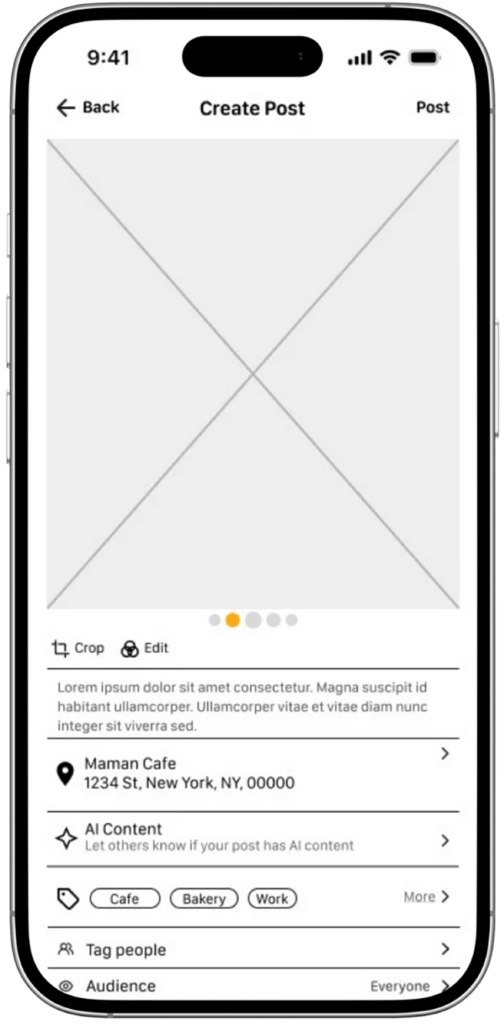
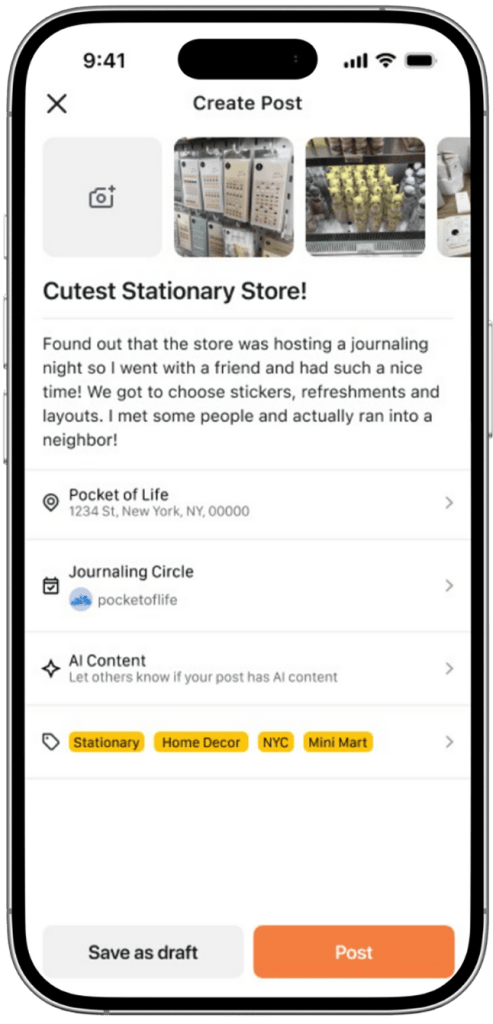
Implementing Event Tagging
- Was in charge of the implementation of the event posts on the now tab
- Biggest challenge, how to account for people that went to an event and want to post about it, allow the event hosters to gain visibility
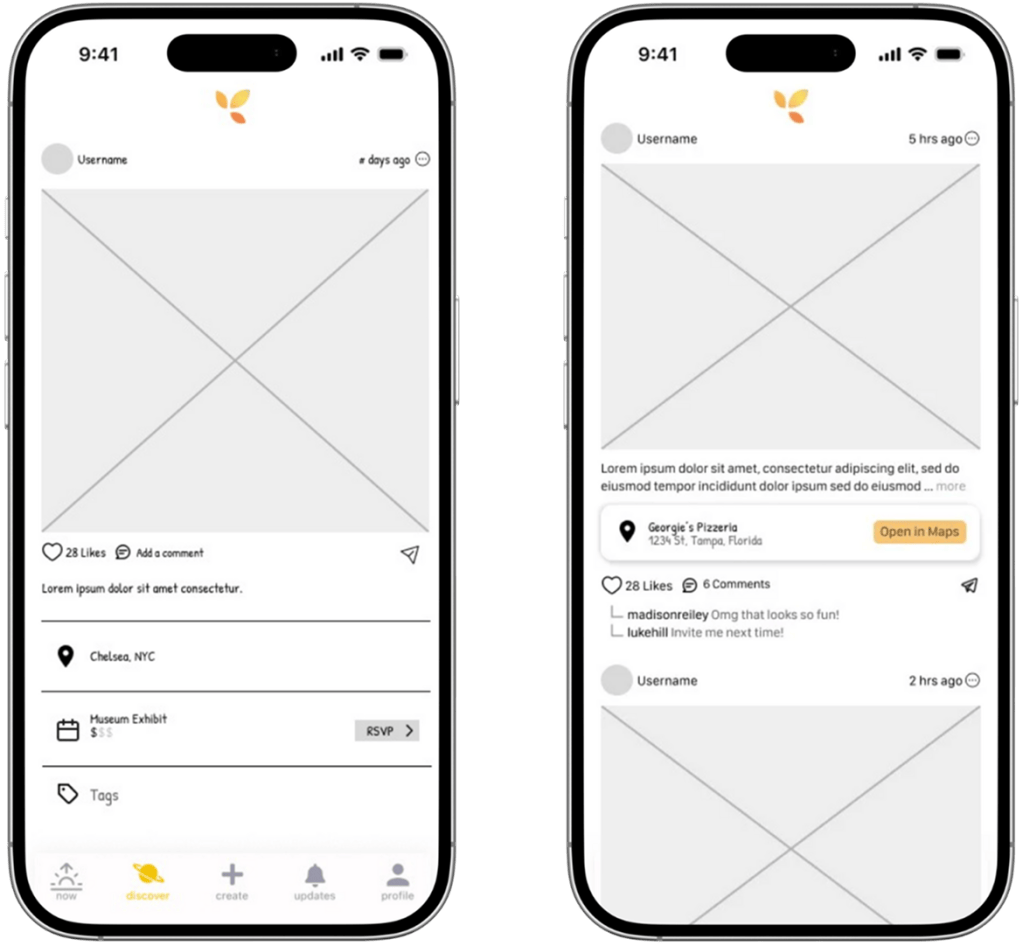
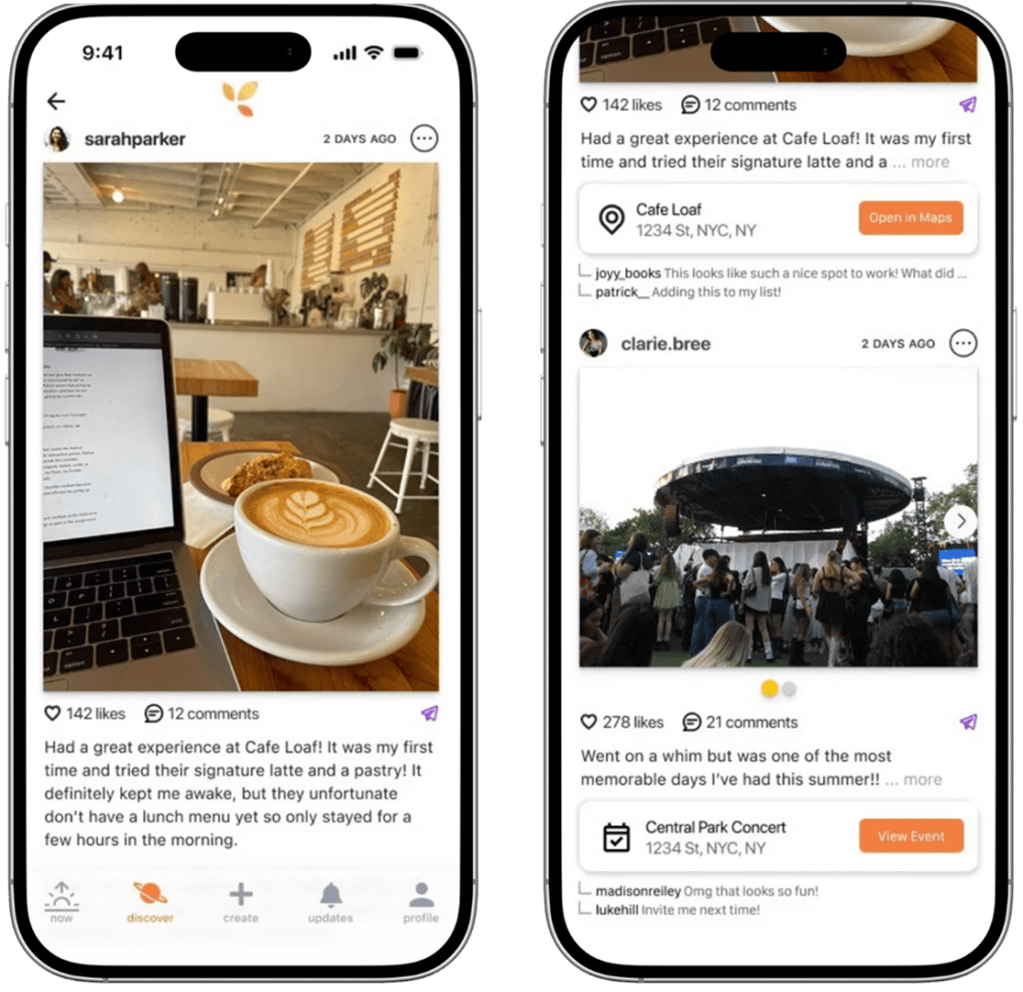
Created a consistent flow for tagging locations and searching for an event by name or creator’s username
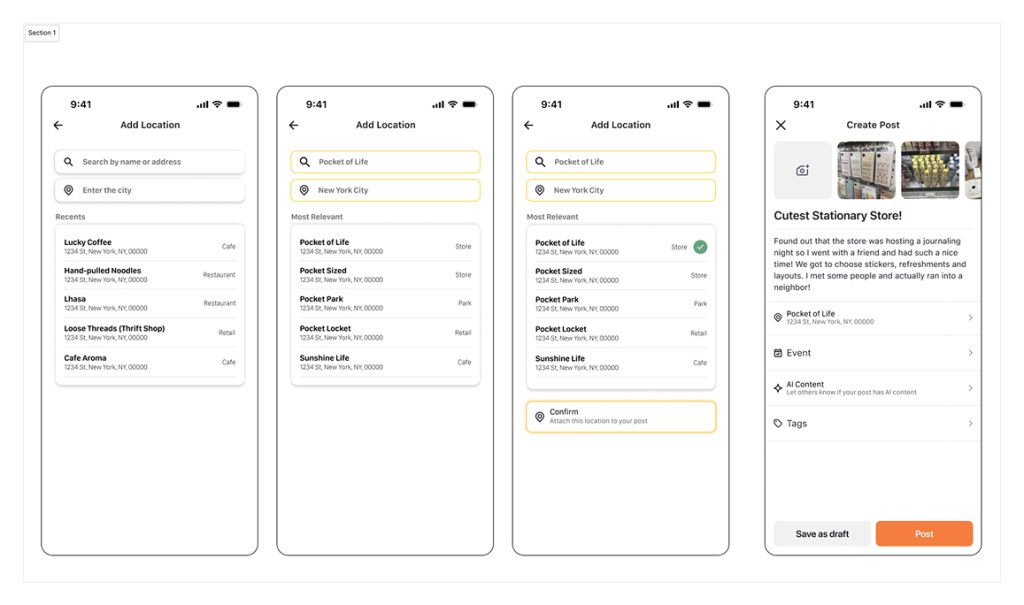
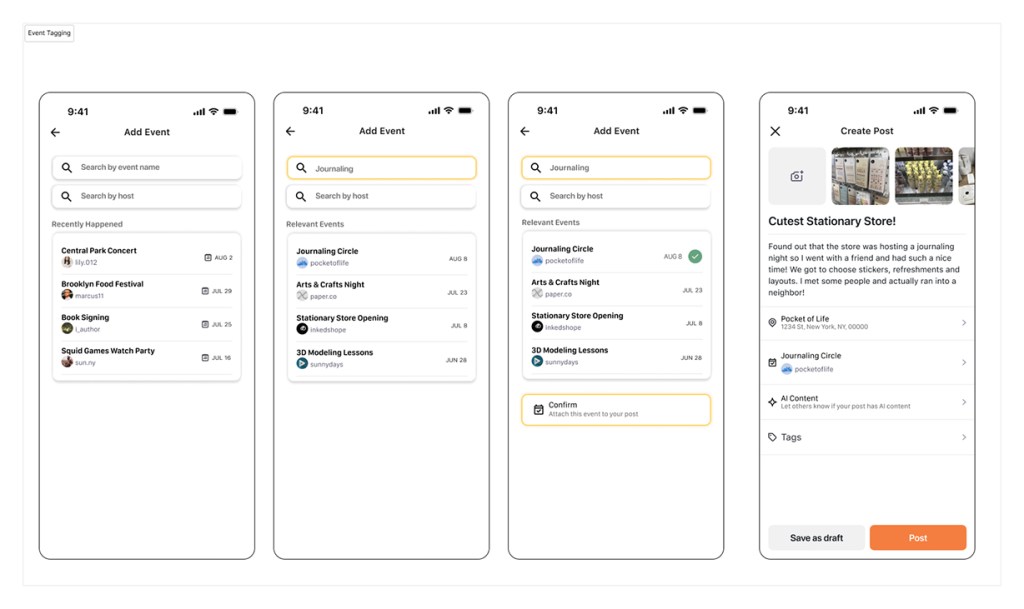
Thus
Results
Our Impact Quantified
13.5%
Increase in Task completion
24%
Reduction in Task Difficulty
39%
Task Completion Rate
Testimonial
“Develop for Good has been an incredible partner and collaborator for our small nonprofit. Their work has given us an exponential boost in our timeline for providing a new nonprofit initiative. It was awesome working with such a hard-working, creative, and organized team of students over a smooth and thoughtful process, and we have been super impressed with their deliverables.”
– Matthew, CEO of nenos Inc.

